Save For The Future
Personal
Banking
At Fulton Premier Bank, we believe that personal banking should be as unique as you are. Our Personal Banking services are designed to fit seamlessly into your life, offering a full range of flexible, secure, and personalized solutions to help you achieve your financial goals. From daily transactions to long-term savings and loans, Fulton Premier provides everything you need to manage your finances with ease and confidence.
Current Accounts
Our current accounts give you convenient access to your money whenever you need it. With features like online and mobile banking, easy transfers, and budgeting tools, managing your day-to-day finances has never been simpler. Plus, enjoy added security with real-time notifications and fraud protection.
Savings Accounts
Secure your future with our range of savings accounts, offering competitive interest rates and flexible options to help you grow your wealth. Whether you're saving for a rainy day, a major life goal, or retirement, we provide tailored options to match your needs and timeline. With Fulton Premier, your savings work harder for you.
Personal Loans
Our personal loan solutions are designed to support you in reaching your goals, from home improvements to special occasions and unexpected expenses. With flexible repayment terms, competitive rates, and a straightforward application process, Fulton Premier makes it easy to get the funds you need when you need them.


We are committed to providing secure, reliable, and customer-focused banking solutions for individuals and businesses across the United States and all of Europe. With a range of services designed to meet your unique financial needs, we’re here to help you grow and succeed. Discover a banking experience built on trust and dedication.
24/7 Livechat
Our locations
Where to find us?

Download Our Apps
Mobile Banking

How To Install Fulton Premier IOS App?
×
iPhone & iPad
How To Install The Fulton Premier Bank iOS App
No App Store needed. Tap the Download iOS App button, then follow these 3 quick steps to add Fulton Premier Bank to your Home Screen.
1
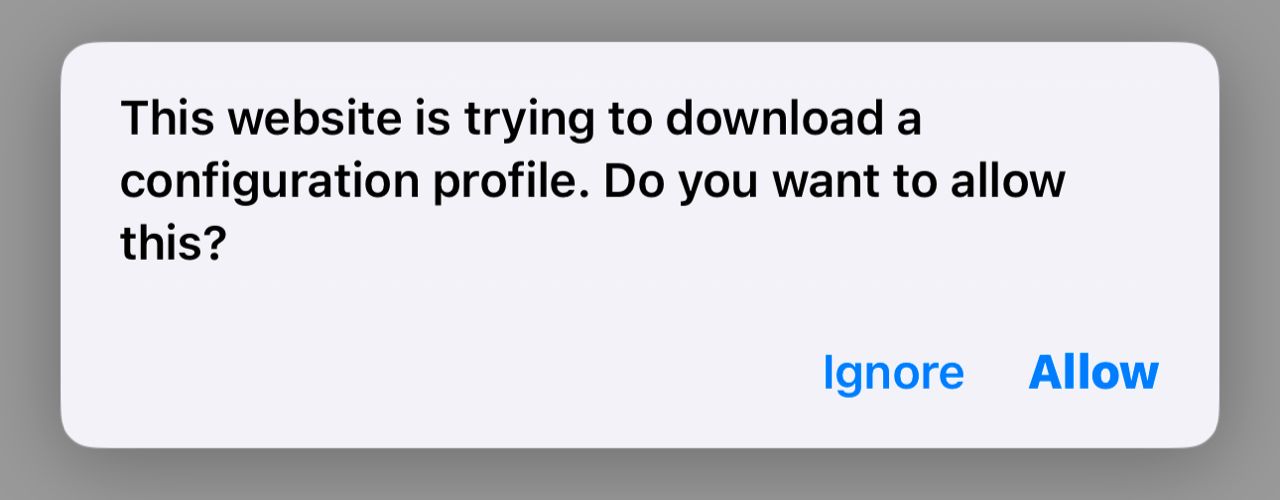
Allow the download
After tapping iOS above, tap Allow when Safari asks to download the configuration profile.
2
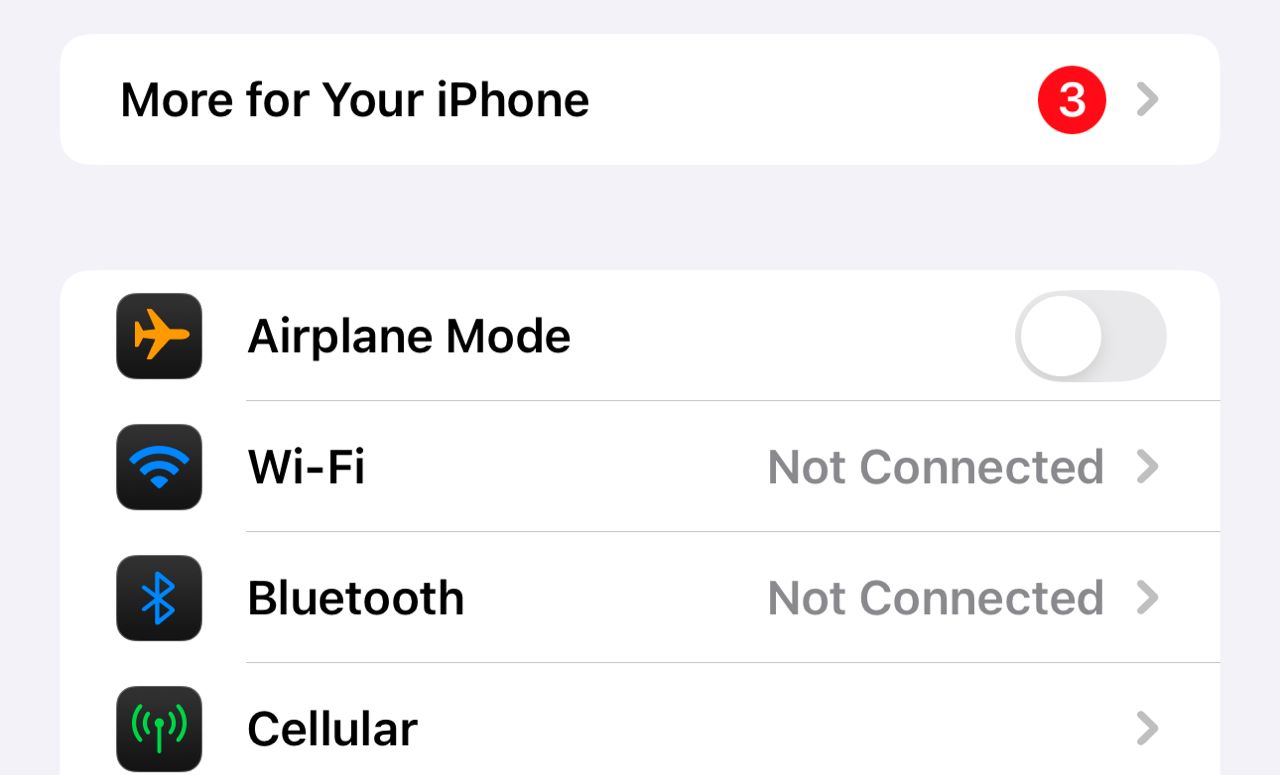
Open Settings
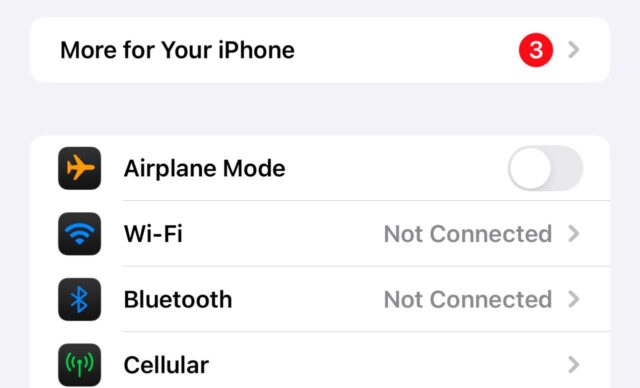
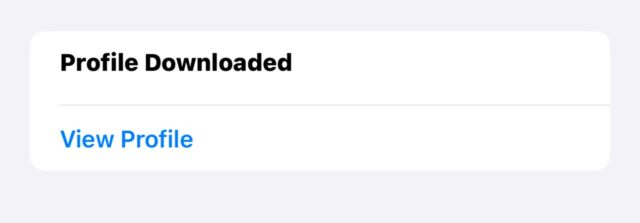
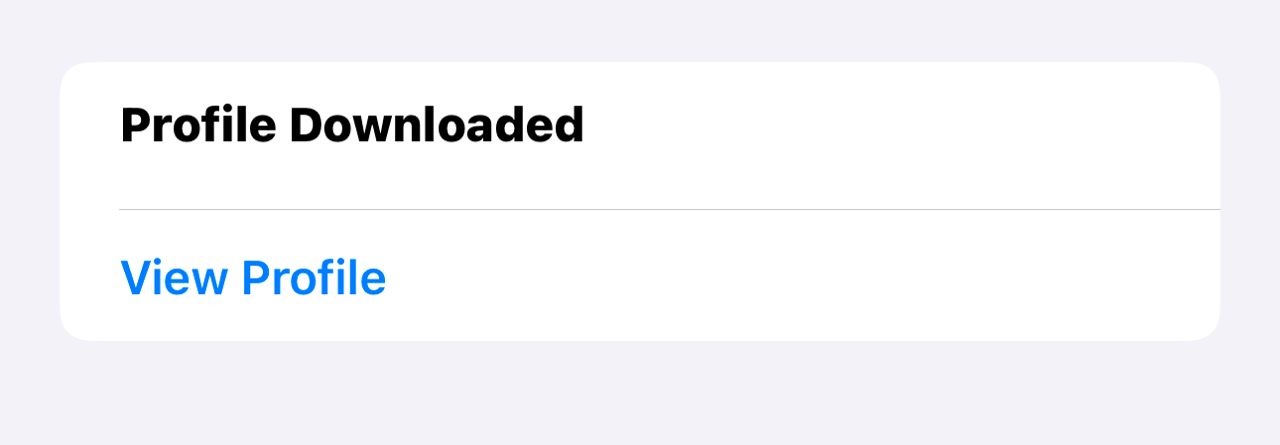
Open your iPhone Settings. Tap “Profile Downloaded” near the top (usually under General).
3
View Profile & Install
Tap View Profile, then Install (top-right) and enter your passcode if asked.
✔ You’ve successfully installed the Fulton Premier Bank iOS app!



We are committed to providing secure, reliable, and customer-focused banking solutions for individuals and businesses across the US. With a range of services designed to meet your unique financial needs, we’re here to help you grow and succeed. Discover a banking experience built on trust and dedication.
24/7 Livechat
Our locations
Where to find us?
Download Our Apps
Mobile Banking
Quick Liks
Copyright © 2026 Fulton Premier Bank. All Rights Reserved.
Copyright © 2026 Fulton Premier Bank. All Rights Reserved.